From June 2024 onwards, for existing members and also new applicants, it is now possible to set up an auto-renewal, although the option for a single-year payment is still available.
The PayPal components of the process also allow a payment by credit card for those applicants who do not have a pre-existing PayPal account.
The subsequent annual auto-renewal is on a specific date, not 'start of month' / 'end of month'; a subscription taken out on (say) 23rd June will auto-renew each year on or about that date, subject to PayPal's own internal processes.
Sign-up is via the NMC Shop page; cancellation remains within the direct control of the applicant, via PayPal.
Existing Members:
(scroll further down for a description of the 'New Members' process)
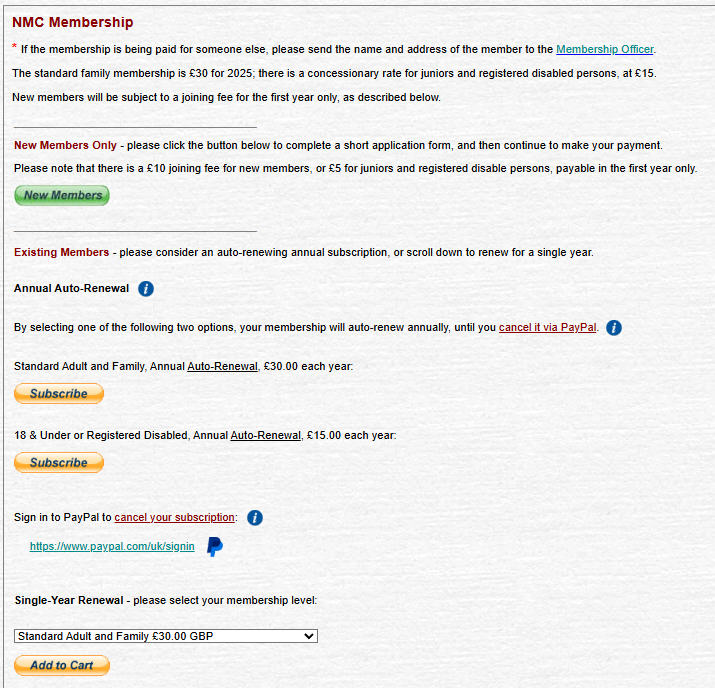
An 'info' button is provided so that potential auto-renewing subscribers can view the PayPal help page regarding future cancellation.
Existing members can also commence the subscription cancellation procedure from here, via the PayPal links provided.
An additional donation to the NMC is still possible, but only (for the moment) in conjunction with a single-year renewal.
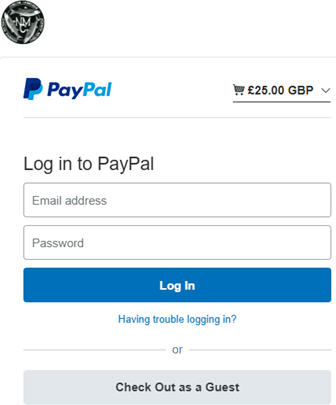
When one of the 'Subscribe' buttons is pressed, a PayPal login is initiated, with a 'Check Out as a Guest' option for non-PayPal users - credit cards are accepted; the cost shown below will reflect the subscription type selected:
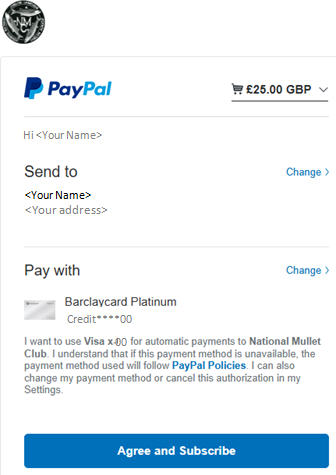
The post-login PayPal screen shows these details, again confirming the cost of the subscription type selected:
Clicking on the down-arrow (top right) will reveal the specifics of the subscription, as follows, depending on the subscription type:
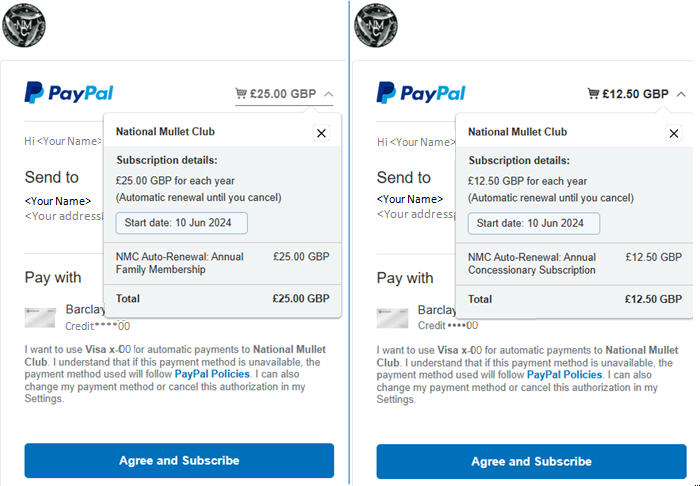
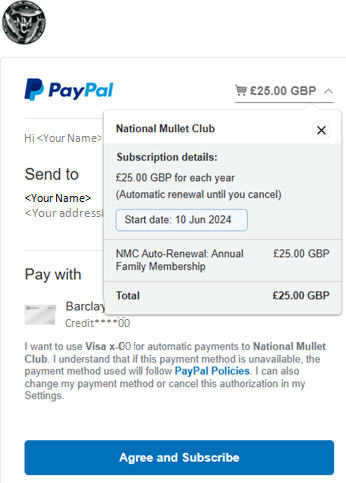
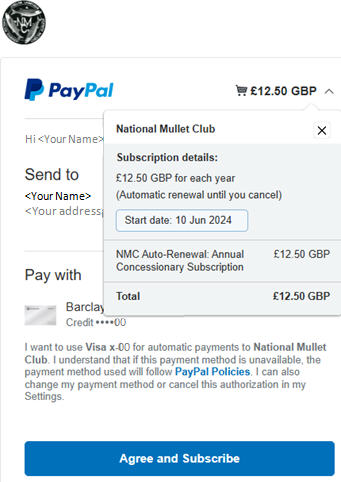
The applicant can exit here to cancel, and no payment will be collected. If they proceed, they will receive an email confirming their subscription.
A further email is received when each future payment is collected.
New Members:
After clicking the 'New Members' button in the NMC Shop page and then supplying contact details, new applicants are presented with the following revised payment options.
An 'info' button is provided so that potential auto-renewing subscribers can view the PayPal help page regarding future cancellation.
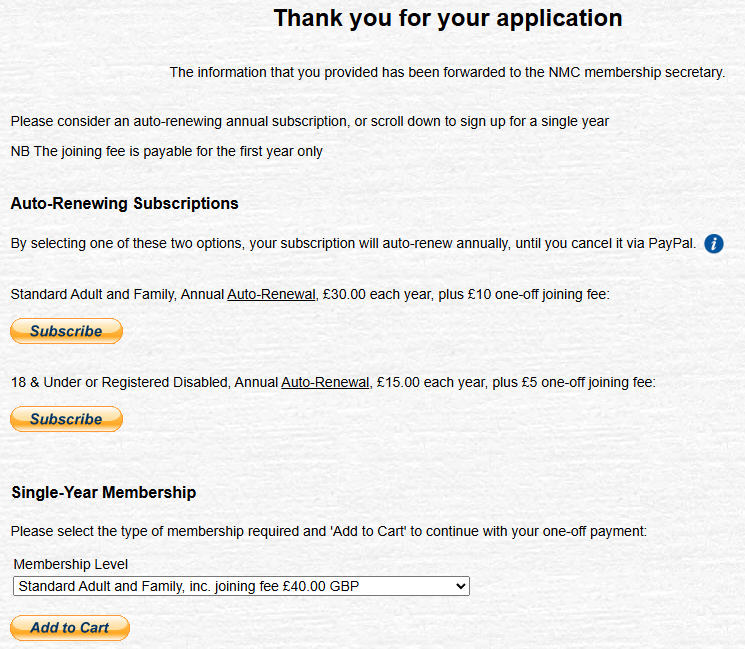
On clicking one of the 'Subscribe' buttons, the PayPal process is then as defined above for existing members' renewals.